Presenting a balloon decor concept to a client used to require a lot of imagination, hand sketches, or endless back-and-forth explanations. But what if you could show your clients an exact, realistic preview of their event setup before blowing up a single balloon?
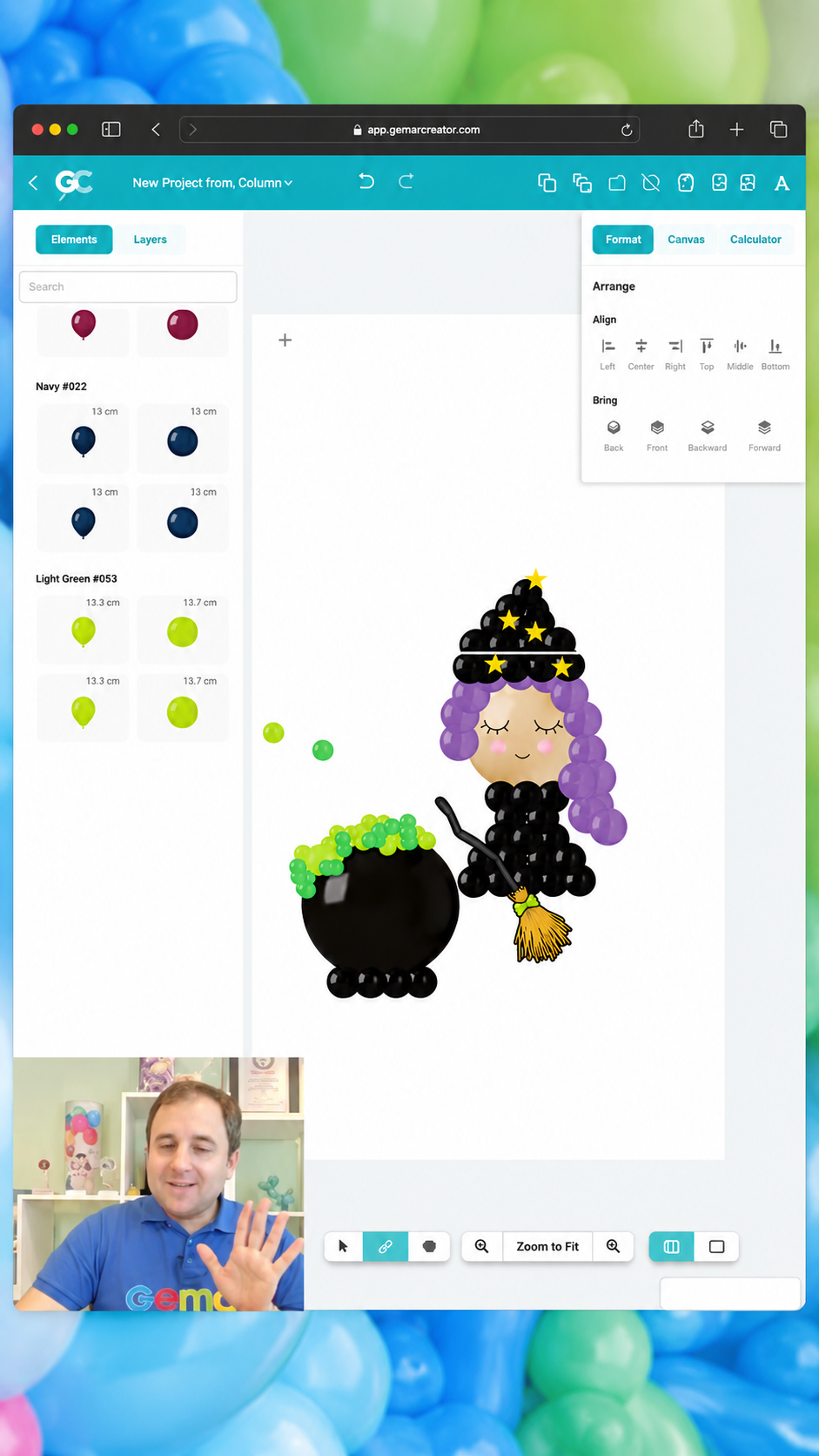
In a recent G-Live session, Gemar Ambassador Gergo demonstrated how the Gemar Creator Tool is revolutionizing the way balloon artists plan, design, and pitch their ideas. From testing color palettes to building complex layered installations, this tool gives you the power to bring your vision to life effortlessly.
And the best part? Gergo revealed how combining your artistic design with AI-enhanced visuals takes your client presentations to a whole new, high-end level.
🎨 What is the Gemar Creator Tool?
The Gemar Creator Tool is a digital platform designed specifically for balloon professionals, party planners, and DIY creators who want to visualize their projects with precision.
Instead of guessing how colors will look together in real life, this tool allows you to:
-
Test True-to-Life Colors: Experiment with official Gemar balloon shades, sizes, and finishes (standard, metallic,shiny, or printed) in real time.
-
Build Layered Designs: Create organic arches, backdrops, murals, and garlands with accurate scale and proportions.
-
Use Real-Life Backgrounds: Insert your design over actual venue photos or event spaces to show clients exactly how the installation will fit the environment.
🤖 The Power of AI: Artist Creativity Meets Smart Technology
During the G-Live masterclass, Gergo highlighted an essential truth for modern balloon decorators: Artificial Intelligence is a powerful assistant, but it always starts with the artist’s unique creation.
AI tools cannot design a balanced balloon installation from scratch without human direction. However, once you draft your concept in the Gemar Creator Tool, integrating AI enhancements allows you to:
-
Elevate Lighting & Textures: Turn a 2D digital mockup into a hyper-realistic, 3D render with natural lighting,shadows, and realistic balloon sheen.
-
Contextualize the Event Space: Place your balloon mockup seamlessly into realistic event halls, outdoor gardens,or luxury venues.
-
Create Winning Client Proposals: Present high-impact visual concepts that look like final event photography,building immediate trust and closing sales faster.
💡 Key Takeaway from Gergo: AI won’t replace your art—it will help you sell it better. The intelligence lies in the artist’s composition; AI simply helps the client see the full magic before event day.
🛠️ Step-by-Step: How to Design & Edit Like a Pro
Ready to level up your design workflow? Here is how Gergo breaks down the process:
-
Sketch the Base Concept: Use the Gemar Creator Tool to build your core structure selecting balloon sizes,layering clusters, and balancing proportions.
-
Define the Palette: Play with Gemar’s official color catalog to craft cohesive 60/30/10 color palettes or trending seasonal combinations.
-
Refine & Edit: Adjust angles, background elements, and framing to match your client’s event space.
-
Enhance with AI: Export your digital draft and use AI visual tools to add realistic depth, lighting reflections, and atmospheric details.
-
Present & Close: Send your polished, professional mockup alongside your quote and watch your conversion rates skyrocket!
📺 Watch the Full Masterclass & Tutorials
Want to see Gergo in action as he navigates the tool, edits mockups, and applies AI tricks step-by-step?
-
👉 Try the Tool Now: Access the Gemar Creator Tool Website and start building your first design.
-
🎥 Watch the Tutorials: Check out the complete Introducing the Gemar Creator Playlist on YouTube for detailed walkthroughs.
-
🚀 Stream More G-Lives: Explore our full library of masterclasses, business tips, and design guides on GLives Adventures.
🛒 Turn Your Digital Mockups into Real Art
Once your client approves your realistic digital concept, it’s time to build it with the best materials in the industry. Gemar balloons offer the exact shades, durability, and premium elasticity you need to match your digital mockups in real life.
👉 Shop Gemar Balloons Online | Find a Local Distributor | Explore Color Inspiration
 by Cloud Media Pro